← All features
// Chrome Extension
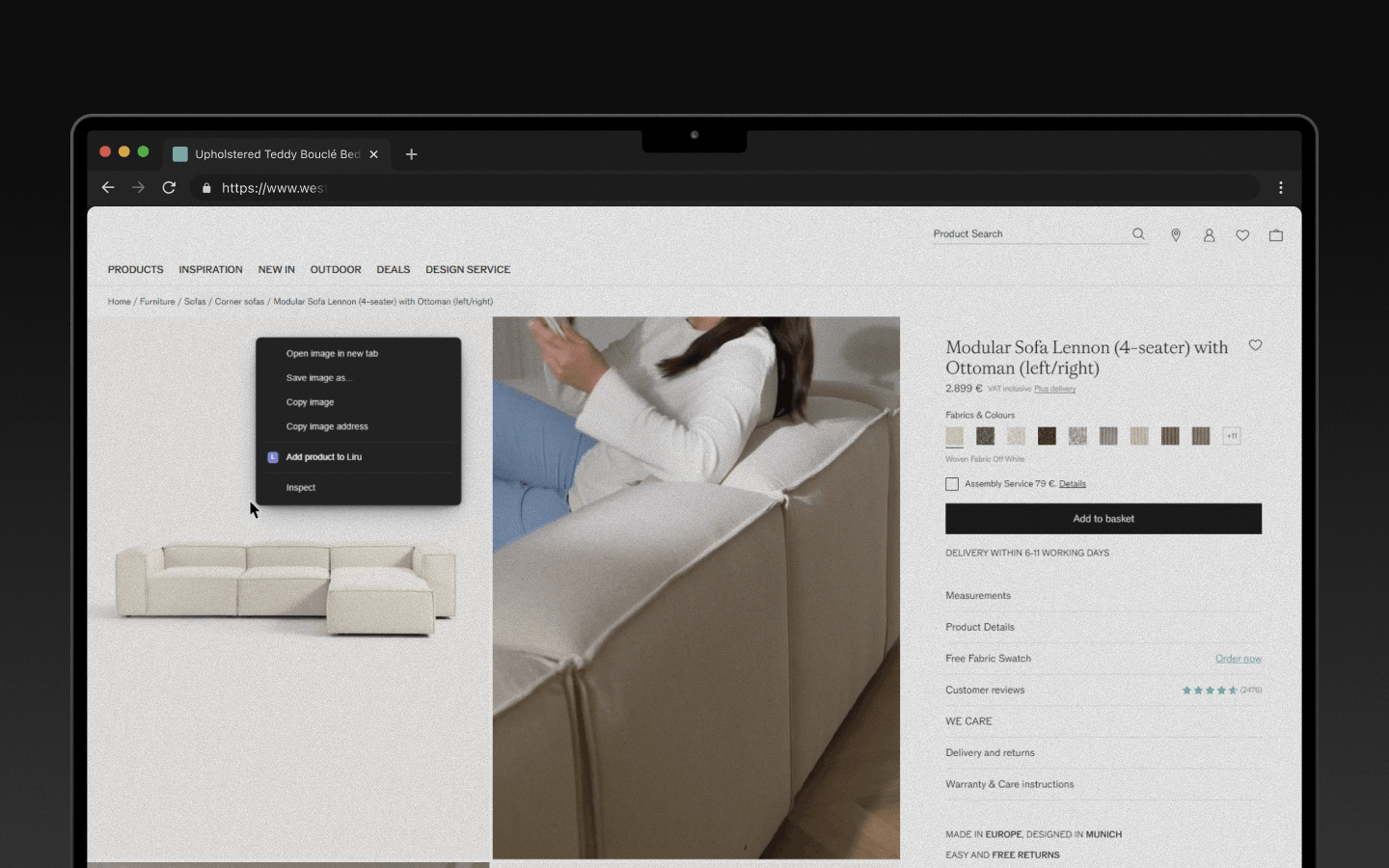
Browse a store. One click. Product in your project.
Find a product in any online store. Click the Liru icon. Name, price, image, and specs are pulled automatically. The product lands in your project, the budget recalculates. Zero manual entry.
What you get
- Hours instead of days sourcing products - one click instead of copy-paste
- No errors in prices or names - data pulled straight from the store
- Product in the budget immediately - the total recalculates automatically on import
- Full return path - store link always saved, go back with one click
How it works
1
Install the extension
One click in the Chrome Web Store.
2
Browse any store
Works with any online store.
3
Click the Liru icon
Name, price, image, specs. Pulled automatically.
4
Choose project and room
Product goes into the project. Budget updates.